

PERSOL GO
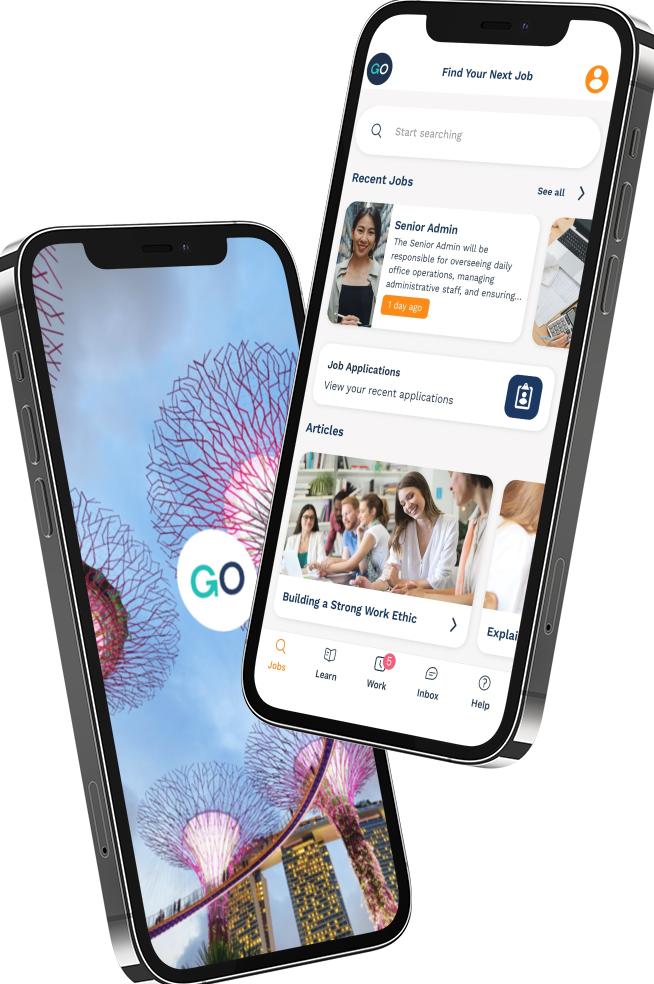
Find jobs in your area and apply instantly.
PERSOL and Programmed post new jobs daily. Download GO and manage work info on the go.
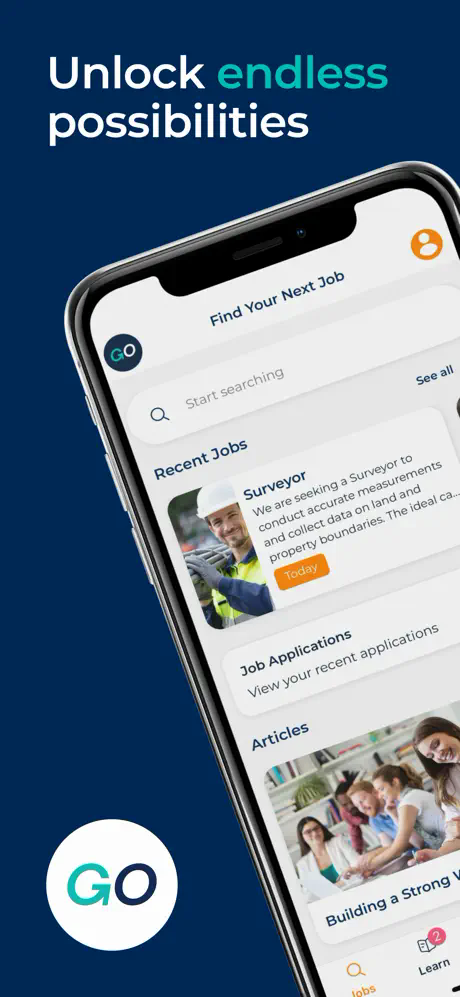
- ✓Search for jobs based on your location
- ✓Apply for jobs instantly
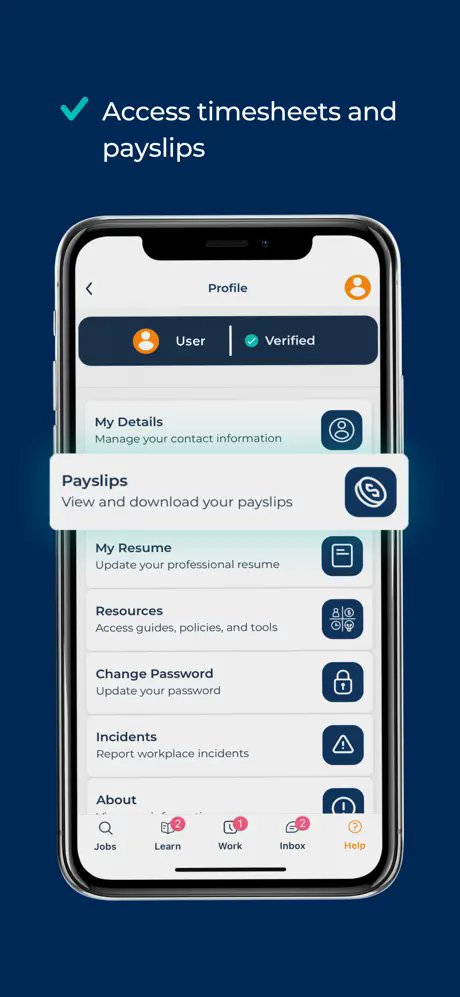
- ✓View your current payslips
- ✓Get notifications on safety alerts and latest news
What you can do with GO
Everything you need in one place — built to help you manage work, faster.
Jobs
Discover opportunities and apply easily from your phone.
Shifts
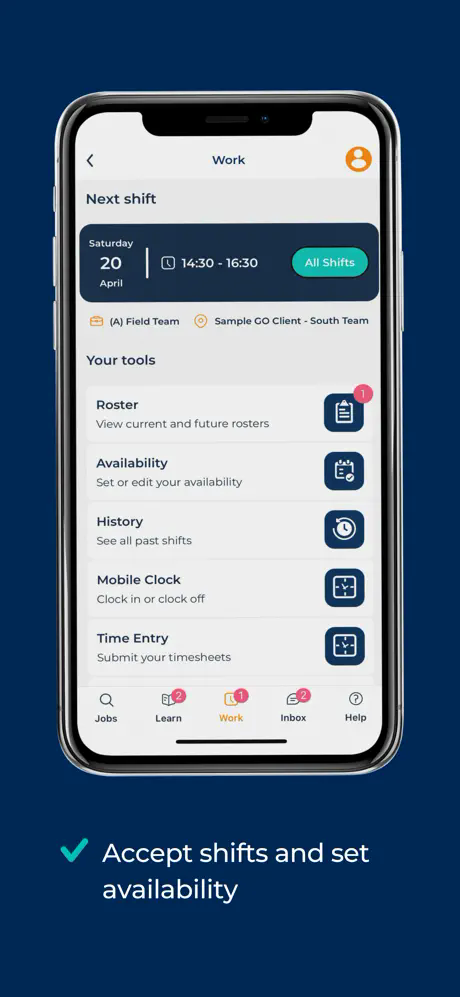
See upcoming shifts and key work details in one place.
Updates
Receive notifications so you don’t miss important info.
Documents
Keep key work information handy and easy to access.
Pay info
Access pay information and updates on the go.
Support
Need help? We’ll point you to the right place to get support.
A quick look inside
Screenshots from the GO app.

How to get started
Download the app, sign in, and you’re ready to go.
Download
Choose iOS or Android and install GO from your store.
Sign in
Use your existing details to access your account.
Start using GO
Browse jobs, view shifts, and manage updates in one place.
Ready to download?
Choose your device to continue to the App Store or Google Play.
FAQ
A few quick answers to help you get started.
Who is GO for?
GO is for people looking for jobs with PERSOL or Programmed, and existing workers who need payslips and key updates in one place.
I can’t sign in — what should I do?
Double check your details, then try again. If you’re still stuck, contact your PERSOL/Programmed representative for help.
Which countries does this link support?
This page supports Malaysia, Singapore, and Hong Kong. Use the m parameter (my/sg/hk) in your campaign links.